Put the guidance into practice: open the related free tool. Examples use stated inputs and are not measured performance claims.
- 1 · Encode
Your text or URI becomes a structured payload.
- 2 · Draw
Data and recovery information form the module grid.
- 3 · Read back
Decode the image and compare its complete content.
| Part | Role | Practical consequence |
|---|---|---|
| Modules | Carry the light and dark pattern | Small modules need clean printing |
| Finder patterns | Help locate and orient the symbol | Do not cover the corner markers |
| Quiet zone | Separates the code from nearby artwork | Keep the clear border intact |
| Error correction | Adds recovery information | Capacity and density change with the level |
| Payload | Contains the actual text or URI | Inspect it before printing |
The square is a structured grid
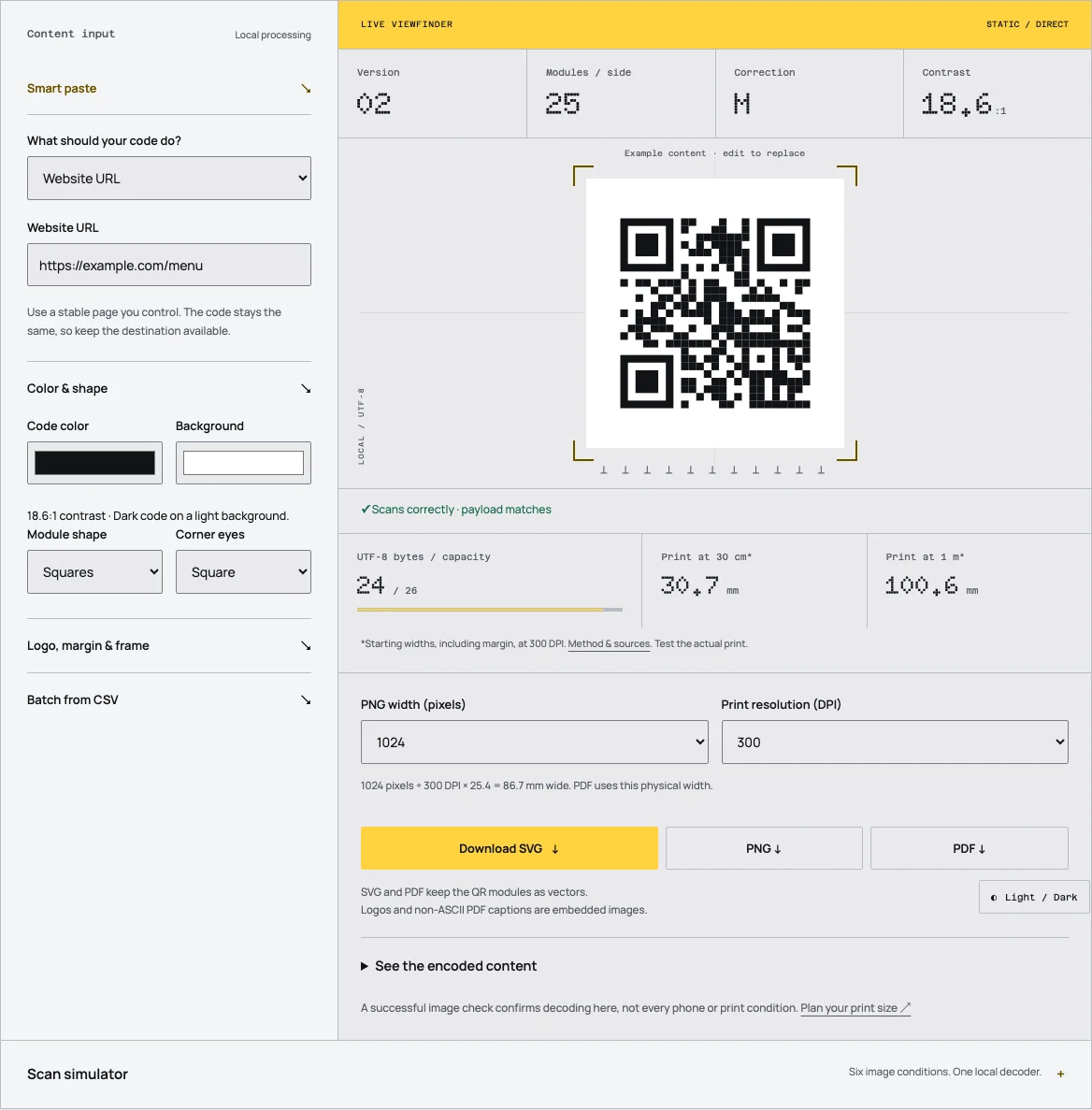
The smallest light or dark square is a module. The overall grid has a defined size rather than an arbitrary collection of pixels. Standard QR versions run from version 1 through version 40, with the module count increasing as the version rises. DENSO WAVE's reference describes the sequence and its capacity limits.
Finder patterns in the corners help a reader locate the symbol and establish its orientation. Other fixed structures help interpret the grid and its format. Those elements are why placing a decorative shape over any convenient area is risky even when the underlying text is short.
The quiet zone surrounds the symbol with clear space. It is not part of the payload, but it helps the reader distinguish the code from nearby graphics. Exporting the border and then cropping it away in a layout discards an important part of the intended scanning environment.
Encoding is different from drawing text
An encoder first represents the payload in an applicable mode. Numeric and alphanumeric modes can store suitable content more compactly than a general byte representation. Byte encoding is useful for broader text and URI content, including data that does not fit a restricted character set.
Capacity therefore depends on the mode as well as the grid version and error-correction level. A published maximum for digits does not mean the same number of arbitrary Unicode characters will fit. The complete capacity table on this site keeps those columns separate.
Tidy QR uses byte-mode encoding with UTF-8 conversion for its browser generator. That is an implementation choice, documented in the product specification. It favors predictable handling of mixed payloads rather than promising the maximum numeric-mode capacity for every input.
Recovery information has a cost
Error correction adds information that can help a reader recover data from some damage or obstruction. Increasing the level uses space that would otherwise carry payload data at the same version. A longer payload or a higher level may therefore require a larger grid.
The published correction percentages refer to codewords, not a simple permission to cover the same percentage of visible area. Damage location matters, and critical structures still need to be recognizable. A logo that covers a finder pattern is not made safe merely by selecting a higher level.
Use the level as part of a design choice, then verify the resulting image and physical print. Tidy QR raises the level when adding a logo and tests its own rendered image locally. That test is useful evidence about the generated sample, not a guarantee for every camera or damaged copy.
A worked grid-size example
The side length of a standard version can be expressed as 17 plus 4 times the version number. For a chosen version 3 example, that gives 29 modules across the symbol. Adding a quiet zone of 4 modules on each side gives 37 modules across the complete square.
If the chosen printed module width is 0.5 mm, the full width is 37 multiplied by 0.5 mm, or 18.5 mm. This is a geometry calculation using a chosen input. It is not a universal minimum size or a promise about a particular scan distance.
The example shows why density belongs in print planning. Two codes printed at the same outside width can have different module sizes if they use different versions. A dense symbol places more demand on the printer and camera than a less dense symbol at the same width.
The reader reconstructs data, then interprets it
A reader detects the pattern, samples the modules and attempts to recover the encoded data. When that succeeds, the result may be a URL, plain text, contact record or another structured payload. The next action depends on the scanner and operating system.
A camera application might recognize a website URL and offer to open it. A specialized application may understand a payment or WiFi format. Correctly encoded data can still appear as plain text when the application does not support the intended action. That is a software-support issue rather than proof of a damaged QR grid.
This is why type pages cite both the payload format and general device guidance. The generator can create the bytes, but it cannot force every receiving application to import a contact, join a network or prepare a payment in the same way.
The image and destination are separate systems
Once a URL is decoded, the browser still has to reach the destination. Connectivity, website availability, authentication and page design affect whether the visitor completes the task. A successful image check covers only part of that journey.
For a static direct URL, the generator is not a redirect service in that chain. The address stays in the image. For a managed workflow, a provider-owned URL can redirect to another destination. The QR encoding mechanism itself does not decide whether that service will remain available.
Keep a copy of the decoded payload alongside the source artwork. It makes later troubleshooting easier because you can compare the original intention, the readable image and the current destination without guessing from the appearance of the pattern.
Use the structure to make better artwork
Keep important text and branding outside the quiet zone. Start with dark modules on a light background. Shorten unnecessary payload content before reducing the physical size. Select a vector export when the layout may be resized, and keep raster output at a suitable resolution for the intended print dimensions.
Test the final material under realistic conditions. A screen preview cannot reproduce glare, curved packaging, ink spread or the way a visitor holds a phone. A proof should include the complete instruction and the page that opens, not merely a camera successfully recognizing a square.
The technical structure is useful because it explains these practical choices. You do not need to implement an encoder to make reliable artwork, but understanding the grid helps avoid treating the code as an ordinary decorative image.
Frequently asked questions
Is a QR code just a picture of text?
No. It is a structured encoding with fixed patterns, data modules and error-correction information. A reader reconstructs the data from that structure.
Does a larger version scan farther?
Not automatically. At the same printed width, a larger version has smaller modules. Distance, density, material and the camera all matter.
Can every camera perform every QR action?
No. Decoding and application support are separate. Test the intended payload on the devices and apps your audience uses.
Sources
Last checked: . Examples are illustrative inputs, not measured results.
- QR Code versions and information capacity, DENSO WAVE. Checked 2026-10-29.
- Error correction feature, DENSO WAVE. Checked 2026-10-29.
- Determining the QR code area, DENSO WAVE. Checked 2026-10-29.
- Barcode Contents, ZXing project. Checked 2026-10-29.
- Implementation specifications, checked against source code, Tidy QR. Checked 2026-10-29.